

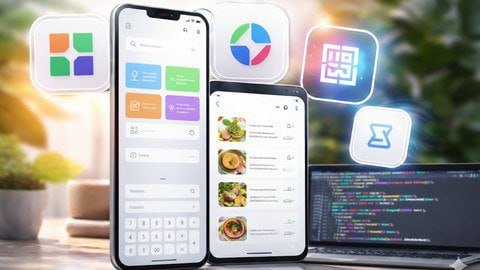
| File Name: | Design with Figma AI, Build with Cursor AI in Flutter (2026) |
| Content Source: | https://www.udemy.com/course/design-with-figma-ai-build-with-cursor-ai-in-flutter-2026/ |
| Genre / Category: | Premium courses |
| Password: |
Spoiler
iPQcEfQRDglF9jDd
|
| Original Price: | $49 |
| Language: |
ENGLISH |
For Paid User Without URL Shortener:
| Download : | GO TO SINGLE CLICK DOWNLOAD PAGE |
ABOUT THE COURSE:
Flutter & AI 2026 — Design with Figma AI and Build Real Apps using Cursor AI
What if you could design beautiful mobile apps with AI and turn them into fully functional Flutter applications in just hours?
In this course, you’ll learn how to combine Figma AI for modern UI design and Cursor AI for fast Flutter development — allowing you to build real-world mobile apps using the latest AI-powered workflow.
This is a practical, project-based course where you will design and build three complete mobile apps from scratch.
What You’ll Build Inside This Course
Calculator App (Beginner Project)
-
Start simple by designing a modern calculator UI in Figma AI and converting it into a working Flutter application using Cursor AI.
Multi-Screen Notes App
-
Learn how to structure real applications by designing a professional notes app and transforming it into a functional Android and iOS Flutter project using AI-assisted development.
Production-Ready AI Meal Planner App (Advanced Project)
-
The highlight of this course is building a production-ready AI Meal Planner app — a real-world project concept worth over $5000.
In this app, users will:
-
Sign up and log in using Firebase Authentication
-
Complete onboarding to share preferences
-
Generate a personalized AI weekly meal plan using the ChatGPT API
-
View meals for each day with detailed information
While building this app, you’ll learn:
-
Firebase backend integration
-
AI and API usage in Flutter
-
Real app architecture and onboarding flows
-
How to turn AI ideas into production-ready mobile apps
Join the conversation
You can post now and register later. If you have an account, sign in now to post with your account.