

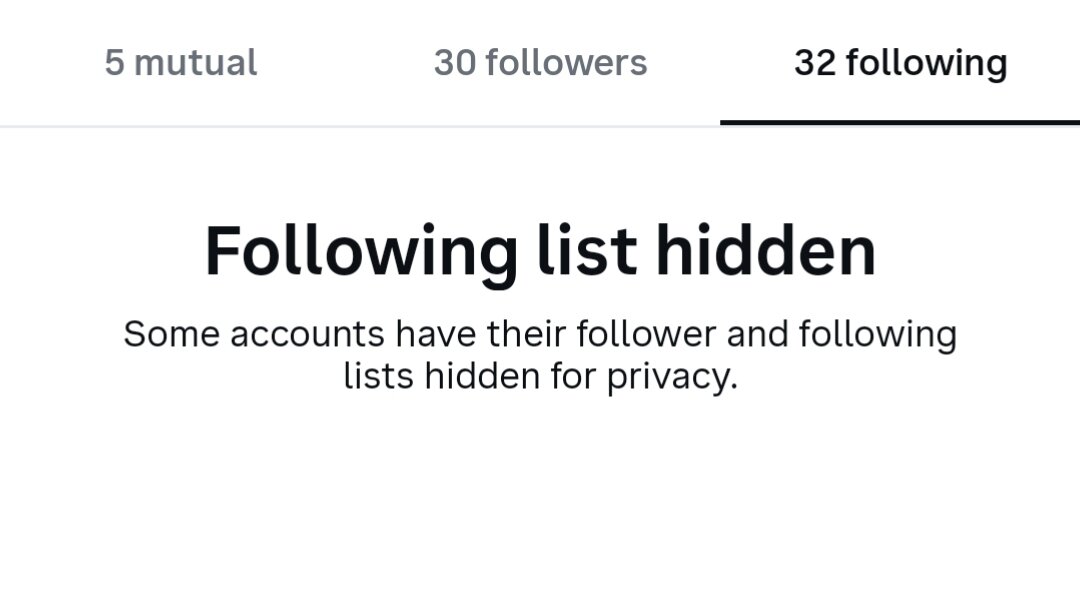
🔐 Hide Your Followers & Following List on Instagram from everyone!
Python-based tool that allows you to manage the visibility of your Instagram Followers and Following lists.
You can use this tool to attempt to enable or disable the hidden-list privacy setting, even on accounts where this option isn't normally available (subject to account compatibility).
🚀 Features
✅ Hide Instagram Followers List.
✅ Hide Instagram Following List.
✅ Unhide Followers & Following Lists.
✅ Works on Android and PC.
✅ Simple menu-based interface.
✅ Easy to use.
📱 Android Installation & Usage
Required Applications:
Firefox Browser – https://play.google.com/store/apps/details?id=org.mozilla.firefox
Cookie Editor Extension – https://addons.mozilla.org/en-GB/firefox/addon/cookie-editor/
Pydroid 3 – https://play.google.com/store/apps/details?id=ru.iiec.pydroid3
Steps to Use:
Install Firefox Browser.
Add the Cookie Editor extension.
Open Instagram in Firefox and log in.
Open Cookie Editor and locate
sessionid.Copy your session ID.
Install and open Pydroid 3.
Open
main.pyand run the script.Select your preferred option:
1– Hide Followers & Following Lists.2– Show Followers & Following Lists.
Enter your session ID when prompted.
⚠️ Important Security Notice
Use this tool only on your own Instagram account.
Your session ID is sensitive login information. Never share it with anyone.
Review the Python source code before running it.
Functionality may vary depending on Instagram updates and account compatibility.
👀 Live Demo
Check out the Instagram account below to see the hidden Followers & Following list in action.
🔗 Demo Instagram Account:
https://www.instagram.com/unk_nownu5er/
Visit the profile and check it out yourself! 🔥
You may only provide a review once you have downloaded the file.
There are no reviews to display.